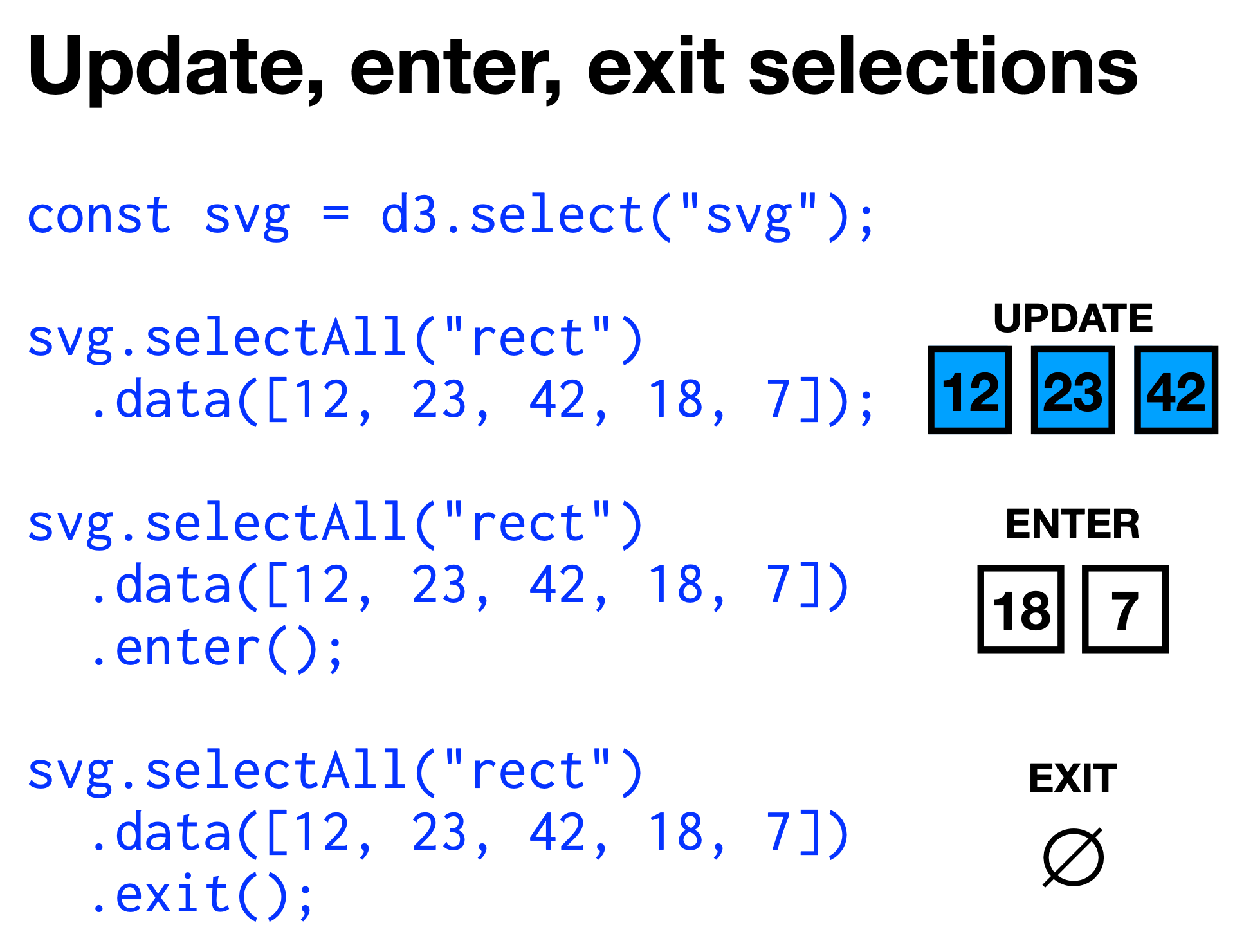
The above examples manipulate the update, enter, and exit selection respectively.
To do some manipulations on the broader selection after some manipulations on some selection, we can use the .merge(other_selection) function.
function changedata(data) { const bars = d3.select("svg#gup") .selectAll("rect") .data(data); // bars is the update selection bars.enter() .append("rect") .attr("x", "30") // until merge, acts on .attr("y", (d, i) => i * 50) // enter selection only .attr("height", "35") .attr("fill", "lightgreen") .merge(bars) // merge in the update selection .attr("width", d => d); // acts on all bars bars.exit() .remove();}
The above function works no matter if bars.enter() or bars.exit() is empty.
Groups
We can manually create groups by creating a parent element <g> for that group. For example:
const svg = d3.select("svg");const specialdata = [100, 250, 300];const bars = d3.select("svg") .append("g") // group parent element .attr("id", "rects") .selectAll("rect") // rects in the group g .data(specialdata) .enter() .append("rect") .attr("x", d => d) .attr("y", d => d) .attr("width", "50") .attr("height", "30") .attr("fill", "red");