Scatter Plots
Scatter plots are a basic graph type in MATLAB; their class is matlab.graphics.chart.primitive.Scatter.
Functions
Scatter Properties
Scatter properties control the appearance and behavior of a Scatter object and are stored as a structure. Storing a plot as an object in a variable lets you inspect and edit each property:
p =

  Scatter with properties:

             Marker: 'o'
    MarkerEdgeColor: 'none'
    MarkerFaceColor: 'flat'
           SizeData: [1x200 double]
          LineWidth: 0.5000
              XData: [1x200 double]
              YData: [1x200 double]
              ZData: [1x0 double]
              CData: [1x200 double]

  Use GET to show all properties
A selection of marker properties follows.
Marker Symbol
- Field name:
.Marker - Default:
'o' - Inputs: same as Marker Symbol
Width of Marker Edge
- Field name:
.LineWidth - Default:
0.5 - Inputs: numeric
Marker Outline Color
- Field name:
.MarkerEdgeColor - Default:
'flat' - Inputs:
'flat', an RGB triplet, a hexadecimal color code, a color name, or a short name'flat'uses the CData values'auto'uses the same color as the Color property of the axes
Marker Fill Color
- Field name:
.MarkerFaceColor - Default:
'none' - Inputs:
'flat','auto', an RGB triplet, a hexadecimal color code, a color name, or a short name'flat'uses the CData values'auto'uses the same color as the Color property of the axes
Marker Edge Transparency
- Field name:
.MarkerEdgeAlpha - Default: 1
- Inputs: scalar in
[0,1], or'flat'- To set per-point edge transparency, set AlphaData to a vector the same size as XData and set MarkerEdgeAlpha to
'flat'
- To set per-point edge transparency, set AlphaData to a vector the same size as XData and set MarkerEdgeAlpha to
Marker Face Transparency
- Field name:
.MarkerFaceAlpha - Default: 1
- Inputs: scalar in
[0,1], or'flat'
Examples
2-D
x = linspace(0,3*pi,200);
y = cos(x) + rand(1,200);
sz = linspace(1,25,length(x));
c = linspace(1,1000,length(x));
scatter(x,y,sz,c,'filled')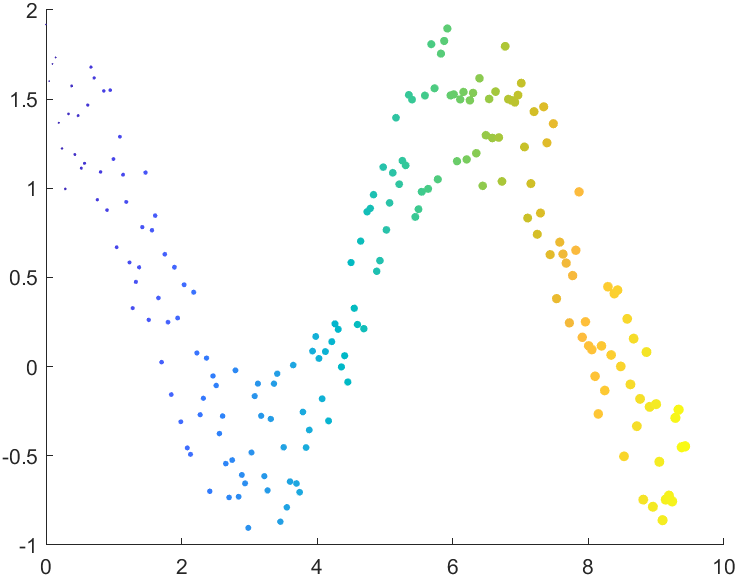
3-D
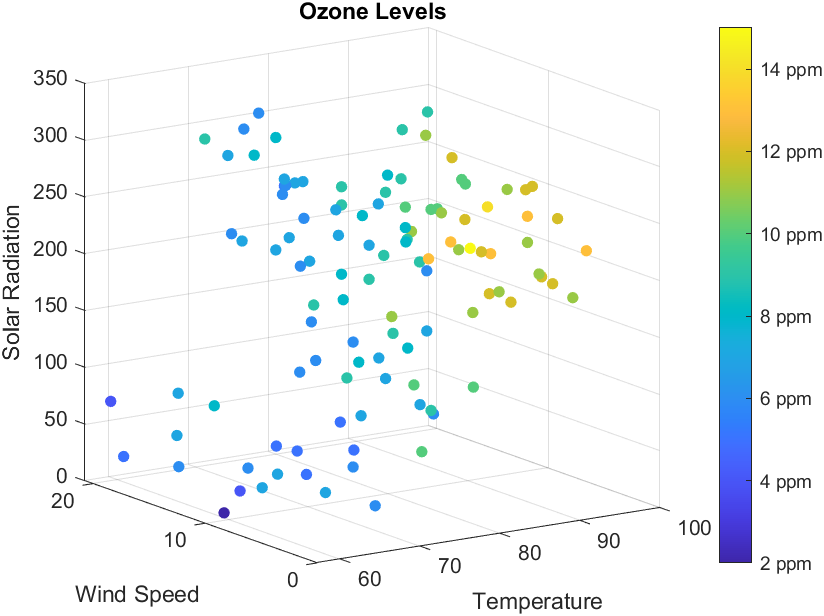
% Load data on ozone levels
load ozoneData Ozone Temperature WindSpeed SolarRadiation
% Calculate the ozone levels
z = (Ozone).^(1/3);
response = z;
% Make a color index for the ozone levels
nc = 16;
offset = 1;
c = response - min(response);
c = round((nc-1-2*offset)*c/max(c)+1+offset);
% Create a 3D scatter plot using the scatter3 function
figure
scatter3(Temperature, WindSpeed, SolarRadiation, 30, c, 'filled')
view(-34, 14)
% Add title and axis labels
title('Ozone Levels')
xlabel('Temperature')
ylabel('Wind Speed')
zlabel('Solar Radiation')
% Add a colorbar with tick labels
colorbar('Location', 'EastOutside', 'YTickLabel',...
    {'2 ppm', '4 ppm', '6 ppm', '8 ppm', ...
    '10 ppm', '12 ppm', '14 ppm'})