Compatible Array Sizes
- Most binary (two-input) operators and functions in MATLAB support arrays that have compatible sizes
- Two inputs have compatible sizes if, for every dimension, the dimension sizes of the inputs are either the same or one of them is 1
- Simplest cases:
- two array sizes are exactly the same
- one is a scalar
- Simplest cases:
- MATLAB implicitly expands arrays with compatible sizes to be the same size during the execution of the element-wise operation or function
2-D Inputs
Cases:
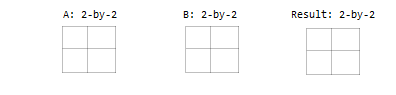
- Two inputs which are exactly the same size
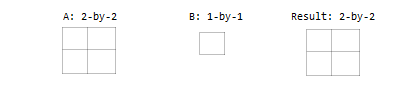
- One input is a scalar
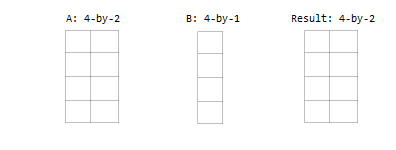
- One input is a matrix, and the other is a column vector with the same number of rows
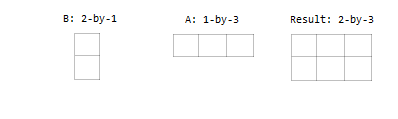
- One input is a column vector, and the other is a row vector
Multidimensional Arrays
Every array in MATLAB has trailing dimensions of size 1. For multidimensional arrays, this means that a 3-4 matrix is the same as a matrix of size 3-4-1-1-1.
Examples:
- One input is a matrix, and the other is a 3-D array with the same number of rows and columns.
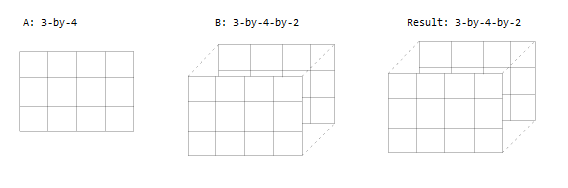
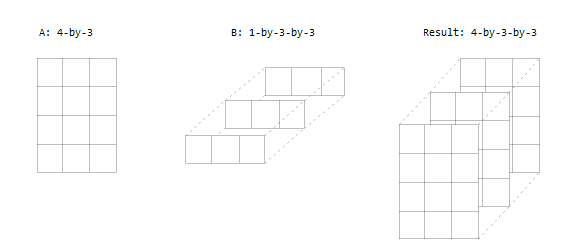
- One input is a matrix, and the other is a 3-D array, their dimensions are all either the same or one of them is 1
Empty Arrays
- The rules are the same for empty arrays or arrays that have a dimension size of zero
- rule: The size of the dimension that is not equal to 1 determines the size of the output
- This means that dimensions with a size of zero must be paired with a dimension of size 1 or 0 in the other array, and that the output has a dimension size of 0 (for 0*1=1)
- Example: size of is 3-0
Examples
To simplify vector-matrix operations, use implicit expansion with dimensional functions such as sum, mean, min, and others.
Subtract Vector from Matrix
>> A = magic(3)
A =
     8     1     6
     3     5     7
     4     9     2
>> C = mean(A)
C =

     5     5     5
>> A - C
ans =
     3    -4     1
    -2     0     2
    -1     4    -3
Add Row and Column Vector
Row and column vectors have compatible sizes, and when you perform an operation on them the result is a matrix.
>> a = [1:4]; b = [5:7]';
>> a + b
ans =
     6     7     8     9
     7     8     9    10
     8     9    10    11